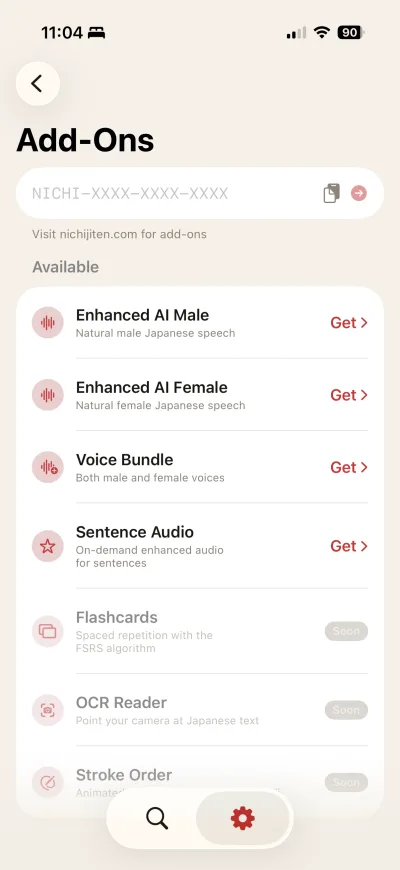
1

Open Settings in Nichi

Tap the gear icon in the bottom-right corner of the app.
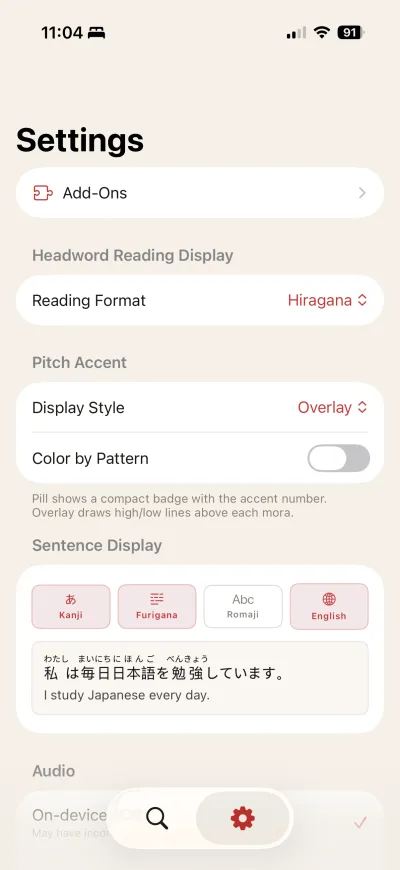
Settings screen
2

Tap "Activate License"

You'll find it in the Account section of Settings.

Activate License screen
3

Paste your license key

Enter the key from your purchase confirmation email. It looks like this:

NICHI-XXXX-XXXX-XXXX
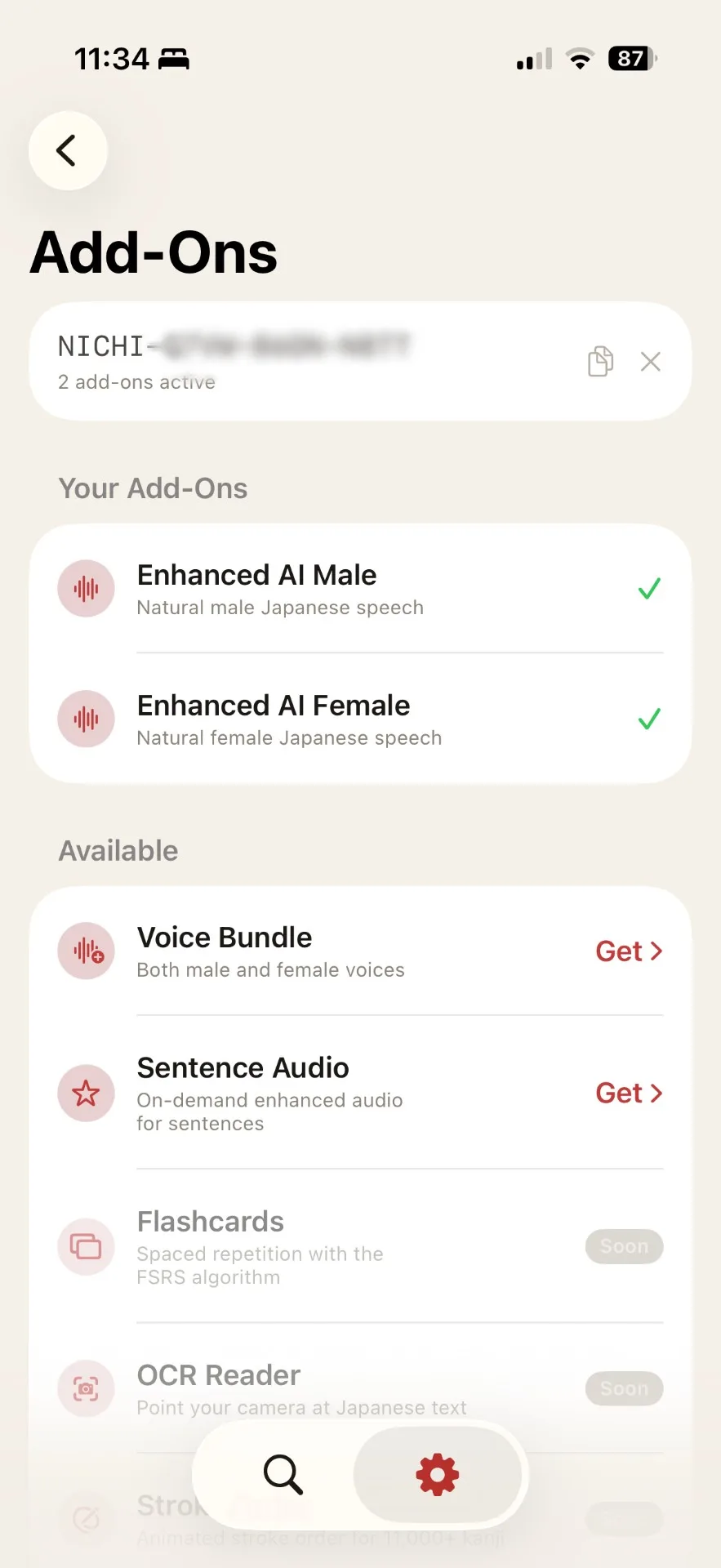
Key entry screen

Having trouble?

Key not working?

  • Check that you're entering the key exactly as shown in your email
  • Make sure there are no extra spaces before or after
  • Try closing and reopening the app
  • If it still doesn't work, contact us

Can't find your key?

  • Check your email — search for "Nichi" or "license"
  • Check your spam or junk folder
  • Still can't find it? Use the form below to resend it

Resend your license key

Enter the email address you used when purchasing. We'll send your key again.

We'll only send to the email on file. If you used a different email, contact us.

Still stuck? Email us at [email protected] and we'll help you out.